Intuit · AI-Native Design
Defining AI-native, so design, product, and engineering could ship faster
How a shared definition ended the handoff debate and moved AI into the work.
The outcome
Handoffs stopped looping, and AI moved into the work
Shipped faster
Design, PM, and engineering moved through handoff in syncOne shared bar
The working definition for my team and our partnersUsed in critique
Teams pulled it up to compare their work against itBetter work
Retainage went from a chat panel to AI inside the workflow01 · The problem
Handoff kept looping back to the start
Product leadership wanted every feature launch to be AI-native. Design and PM would align on a direction, bring it to engineering, and hear “this isn’t AI-native enough.” Then start over.
It came to a head on construction retainage. My staff designer and our PM had aligned on a flow where the agent set up retainage and reported its work in a chat panel. Engineering pushed back, and the work stalled.
02 · The insight
It wasn’t a quality gap. It was a definitions gap.
Each function had its own picture of AI-native, shaped by its own leadership. Without a shared bar, every handoff became a debate.
03 · My approach
I treated the definition like a product
I listened to both sides, then told my director we were going in circles and asked to lead the fix. I did the groundwork first: industry research, plus one question to leaders about what AI-native means to Intuit. Then I brought a draft to a working session with the other Mid-Market design leaders, got my director’s sign-off, and gathered final input from PM and engineering before sharing it broadly.
Why it was better because I was in the room
I didn’t take sides or redesign my team’s work. I found out why the bar kept moving and took it up a level, so my designers could get back to designing.
04 · The framework
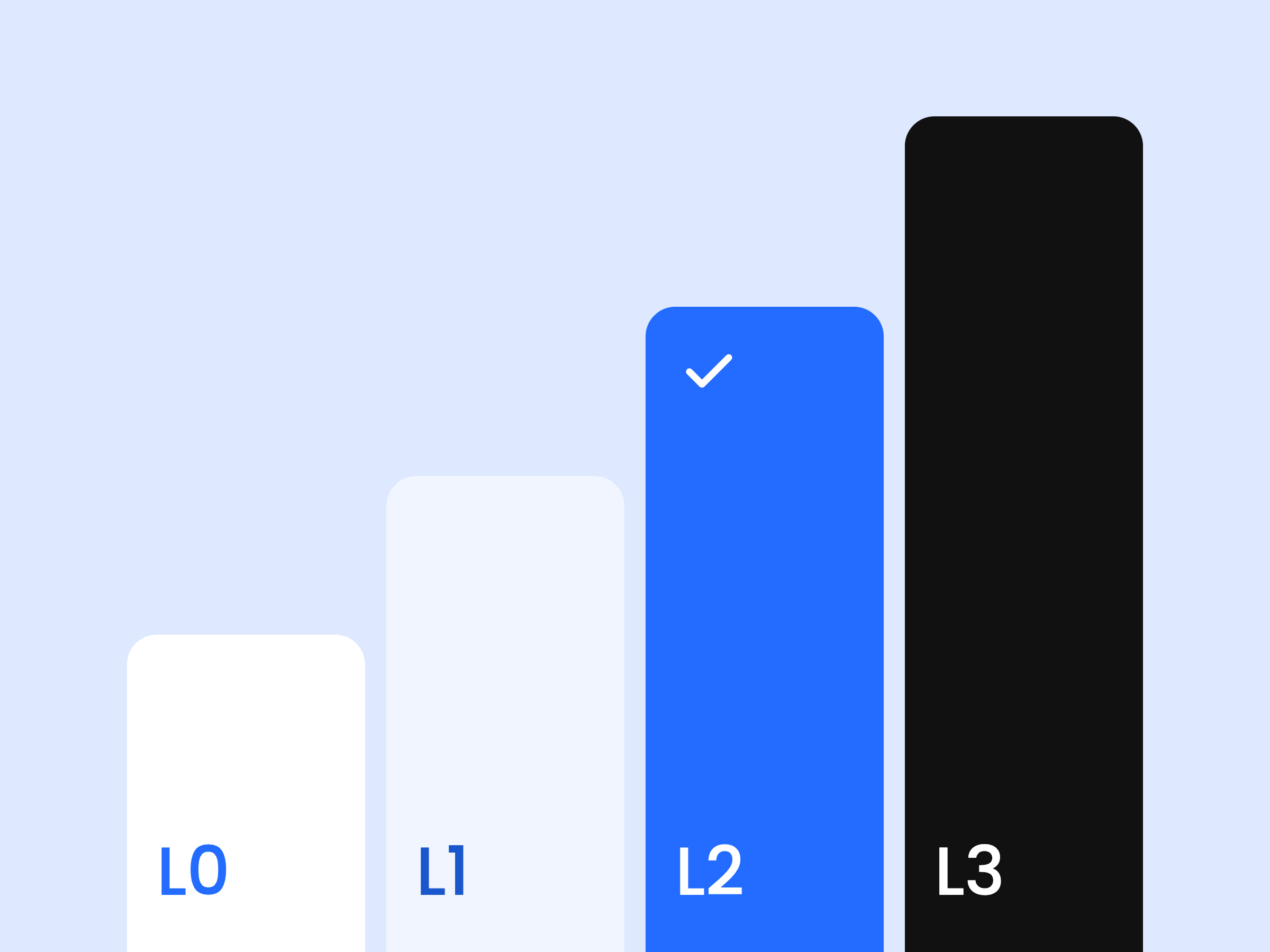
Automation levels, matched to risk
The framework separated how we design (AI-first), what users experience (AI-native), and how much the system does. The question in every review became “what level of automation is right here?”
Manual
User does the work
Assisted
AI suggests, user executes
Supervised
AI drafts, user approves
Done-for-you
System completes, user supervises
“Kiley established a practical framework to align our design team… This gave our designers a unified approach to building intuitive, human-centered AI features.”
Michael Noh, Staff Product Designer · Intuit
05 · The framework in practice
Retainage, in three versions
L0 · Manual
A blank form
Users entered every retainage detail by hand.
Chat panel
AI beside the work
The agent did the setup but reported it in chat.
L2 · Supervised
AI in the workflow
It drafts the release invoice, and a person approves it.
Start from what we know
History, estimates, and the uploaded contract fill the form, so people review instead of type.
AI in the workflow, not beside it
Suggestions appear on the invoice, where the decision is made.
L2, not L3, when money moves
The system drafts the release; a person confirms before funds go out.
06 · What I learned
One lesson, and one thing I’d do differently
Alignment problems often look like quality problems
The pushback wasn’t about the designs. It was about a missing bar.
What I’d do differently
Set the bar before the work starts
We only found the definitions gap once retainage stalled at handoff. Now I align with partners on what “good” means at kickoff.
Design for the right future state first, then adapt to constraints.
Next: Industry Solutions